Business Automation · 8 min read
AI Automation Cost Control Checklist for Small Businesses
A practical AI automation cost control checklist for SMEs: find hidden AI costs, govern tool access, protect data, and choose safer workflow pilots.
By Reji Modiyil · Published 2026-07-15
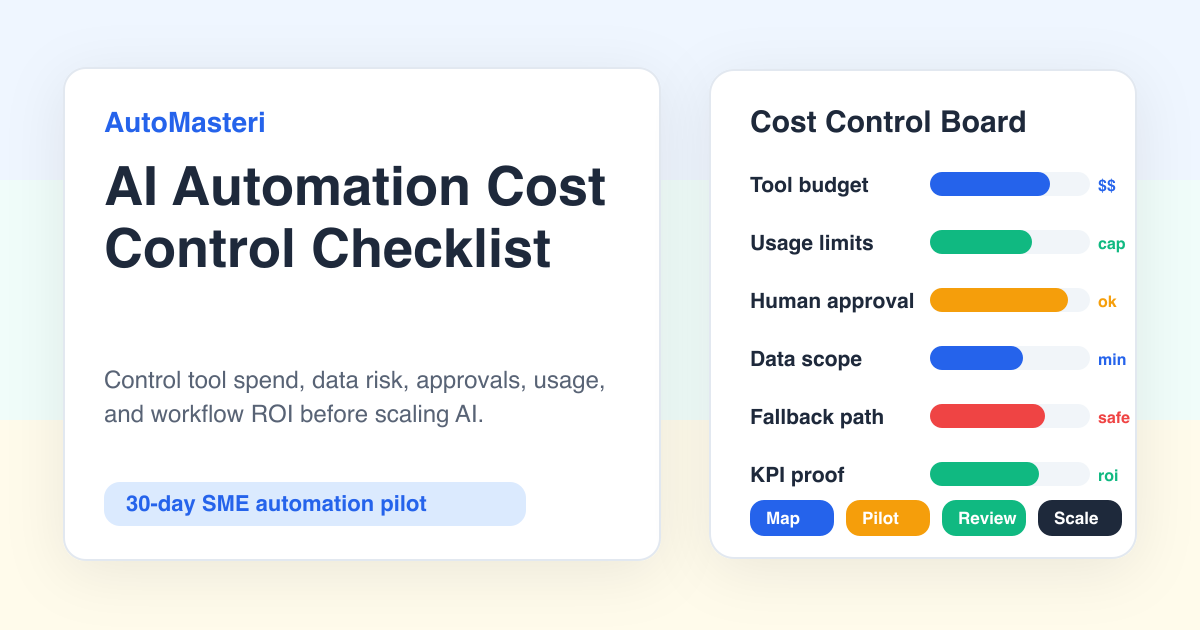
The cheapest AI tool can become expensive when the workflow around it is uncontrolled.
Small businesses do not usually lose money on AI because the monthly subscription is too high. They lose money because five different tools are tested without an owner, customer data moves into places nobody checked, staff keep using the old manual process in parallel, AI replies need more cleanup than expected, and nobody knows which workflow actually improved.
The short answer: before a small business automates with AI, it should control twelve things: workflow owner, baseline cost, tool budget, usage limits, data access, approval rules, fallback path, staff training, customer risk, integration scope, measurement, and stop criteria. If these controls are missing, the first AI project should stay a small pilot instead of becoming a company-wide rollout.
This is the AutoMasteri view: automate one valuable workflow properly before buying a full AI stack.
Why AI Automation Feels Cheap at First
AI automation is attractive because the visible price looks simple. A chatbot plan, workflow tool, AI assistant, or automation connector may cost less than one staff member's monthly salary. That comparison is tempting, but it is incomplete.
The real cost of AI automation includes:
- time spent mapping the workflow;
- staff time spent reviewing AI output;
- data cleanup before the tool can work;
- prompt and knowledge-base maintenance;
- integration setup;
- failed automation handling;
- customer confusion when the reply is wrong;
- owner time spent checking reports;
- duplicate subscriptions when teams try many tools at once.
For a founder-led SME, those costs matter because owner attention is already scarce. If the automation saves two hours but creates three hours of checking, explaining, and fixing, it is not automation. It is a new manual process with a smarter label.
The 12-Point AI Automation Cost Control Checklist
Use this checklist before launching any AI workflow.
1. Name the Workflow Owner
Every automation needs a person who owns the result. Not the tool. The result.
For example:
- sales manager owns lead follow-up;
- support lead owns ticket triage;
- finance owner owns invoice reminder rules;
- founder owns the weekly dashboard.
If nobody owns the result, nobody catches drift, wrong replies, or silent failures.
2. Measure the Manual Baseline
Before automation, write down the current number.
Useful baselines:
- first response time;
- missed WhatsApp enquiries;
- follow-up completion rate;
- number of open tickets;
- staff hours spent on reporting;
- invoices overdue;
- review requests sent;
- appointments booked;
- quotation delays.
Without a baseline, the team will rely on feelings. Feelings are not enough for budget control.
3. Set a Monthly Tool Budget
Do not start with unlimited experiments.
Set a monthly AI and automation budget for the pilot. Include subscriptions, connectors, message costs, AI usage, and any paid add-ons. Keep the first pilot small enough that the owner can understand every rupee or dinar being spent.
4. Control Usage, Not Only Access
Many teams think access control means deciding who can log in. AI cost control also needs usage limits.
Set rules for:
- which staff can run the automation;
- how many AI-generated replies can be sent or drafted;
- which workflows can trigger AI;
- which customer data is allowed;
- when human approval is required;
- when the automation must stop.
This prevents one enthusiastic team member from turning a small test into a messy live system.
5. Keep Sensitive Data Out Unless Needed
Most early automation does not need full customer history, payment documents, medical details, ID files, or contract information.
Start with the smallest data set that can do the job:
- enquiry source;
- customer name;
- service interest;
- preferred time;
- status;
- owner;
- next step.
If the workflow needs sensitive data, add stricter approval and logging. Do not treat AI tools as a casual storage layer.
6. Use Human Review for Customer-Facing Replies
The first version should usually assist, not decide.
AI can draft, summarize, classify, tag, route, and remind. A human should review when the message affects price, refund, appointment, delivery promise, legal topic, health topic, finance topic, identity, documents, or angry customers.
This keeps the customer experience safe while the business learns where AI is reliable.
7. Create a Fallback Path
Every automation needs an answer to this question:
What happens when the automation is unsure, late, broken, or blocked?
Fallback examples:
- assign the conversation to a human owner;
- create a task in the owner dashboard;
- send a safe "we are checking this" reply;
- pause follow-up until reviewed;
- notify the founder for high-value leads;
- log the failure for weekly review.
No fallback means the automation can silently fail.
8. Limit Integrations in the First Pilot
Do not connect every tool on day one.
A good first pilot might connect only WhatsApp, a lead sheet, and one owner dashboard. Or a support form, a knowledge base, and a ticket queue. The more systems connected, the more places can break.
Start narrow. Expand only after the first workflow proves value.
9. Budget Staff Review Time
AI automation still needs human attention.
Plan review time in the pilot:
- 15 minutes daily for checking outputs;
- 30 minutes weekly for error review;
- 30 minutes weekly for prompt or workflow changes;
- one monthly decision on whether to continue, improve, or stop.
If the review burden is too high, the automation is not ready to scale.
10. Train Staff on the New Workflow
Staff should know what the automation does, what it does not do, and when they must intervene.
Give them a simple role card:
- what to check;
- what to approve;
- what to edit;
- when to escalate;
- when to stop the automation;
- what metric matters.
This is where many AI projects fail. The tool works, but the team does not trust or understand the workflow.
11. Track Quality, Not Just Speed
Fast wrong replies are not progress.
Track:
- response accuracy;
- customer confusion;
- staff edits required;
- escalation rate;
- lead quality;
- conversion movement;
- support resolution quality;
- owner confidence.
The first AI workflow should improve the business, not only make a dashboard look active.
12. Define Stop Criteria
Before launch, decide when the pilot should stop.
Stop or pause if:
- staff edits most AI outputs;
- customers complain about confusing replies;
- costs exceed the pilot budget;
- the workflow creates duplicate work;
- the owner cannot see clear improvement;
- sensitive data is being handled loosely;
- nobody reviews the logs.
Stopping a weak automation is not failure. It is cost control.
A 30-Day Pilot Budget Template
Use this structure before approving the first workflow.
- Tool subscription: AI tool, automation tool, connector cost. Owner: founder or ops owner.
- Usage cost: messages, AI calls, workflows, extra runs. Owner: workflow owner.
- Setup time: mapping, prompts, templates, testing. Owner: implementation owner.
- Staff review: daily checking and edits. Owner: team lead.
- Support fallback: who handles failed or unclear cases. Owner: human owner.
- Measurement: KPI dashboard and weekly review. Owner: founder.
The first pilot should be simple enough to review in one weekly meeting. If the budget needs a spreadsheet nobody understands, the pilot is too broad.
Example: WhatsApp Lead Follow-Up
A service business receives leads from ads, website forms, and referrals. Staff reply manually. Some leads wait too long. Some are forgotten. The founder wants AI to handle follow-up.
A controlled pilot could be:
- capture new enquiry;
- tag source and service interest;
- send or draft an approved acknowledgement;
- ask two qualifying questions;
- assign a human owner;
- remind the owner if no response happens;
- track response time and booked calls.
Cost controls:
- no pricing promises from AI;
- no sensitive document handling;
- approved templates only;
- human review for high-value leads;
- weekly review of missed and mishandled conversations;
- stop if reply quality drops.
This is a better first project than trying to automate the whole sales team.
Example: Support Triage
A business receives repeated support questions. AI can classify the issue, suggest the right article, draft a response, and route urgent cases.
But the cost control question is simple: does the company have a reliable knowledge base?
If not, the first project is not an AI support bot. The first project is a support knowledge base and ticket taxonomy. AI comes after that.
What AutoMasteri Can Help With
AutoMasteri can help an owner map workflows, choose the safest first automation, define cost controls, set human approval gates, and turn one practical use case into a 30-day pilot.
The goal is not to buy more tools. The goal is to build a small operating system around the workflow: lead capture, WhatsApp follow-up, support routing, reporting, review requests, or task visibility.
Start with one workflow. Control the cost. Measure the result. Then decide what deserves the second automation.
FAQ
What are the hidden costs of AI automation for small businesses?
Hidden costs include workflow mapping, staff review time, data cleanup, integrations, usage-based AI calls, prompt maintenance, failed automations, customer confusion, duplicate tools, and owner oversight.
How should a small business control AI automation costs?
Start with one workflow, set a monthly pilot budget, limit tool access and usage, keep data scope small, require human review for sensitive outputs, define fallback rules, and measure baseline vs outcome.
Should AI reply directly to customers?
For the first pilot, AI should usually draft, classify, summarize, and route. Direct customer replies should stay approved or tightly controlled, especially for pricing, refunds, complaints, legal, health, finance, identity, or document-related topics.
What is the safest first AI automation for an SME?
Good first candidates are repetitive, measurable, low-risk workflows such as lead follow-up reminders, support triage drafts, review request preparation, invoice reminder alerts, owner reporting, and task summaries.
When should an AI automation pilot be stopped?
Pause or stop when costs exceed the pilot budget, staff edits most outputs, customers are confused, sensitive data is handled loosely, duplicate work increases, or the owner cannot see measurable improvement.
Build the map before the tools.
Start with the free AutoMasteri automation audit, or apply for a mentor review if you want Reji to review the operating system behind your customer journey.